
The best live chat software does more than put a message box on your website. It helps you catch questions while purchase intent is still high, understand visitor behavior, organize support conversations, and prevent valuable prospects from quietly leaving.
Speed matters too. Recent consumer research found that 66% of customers expect a live-chat response within five minutes, while 59% prefer chatting with a human representative. At the same time, AI is reshaping support at remarkable speed.
So, which platform gives you the right balance of fast service, useful automation, human interaction, and manageable complexity? We reviewed seven strong options to help you decide.
What Is Live Chat Software?
Live chat software is a communication platform that lets you speak with website or app visitors in real time. A customer opens a chat widget, types a question, and receives assistance without making a phone call or waiting for an email reply.
Unlike email support, live chat keeps the conversation close to the customer’s immediate activity. If someone has a question while comparing products, completing checkout, or reading a pricing page, your team can respond while that context still matters.
Live chat also differs from a traditional ticketing system. Ticketing focuses on recording, assigning, and resolving support cases over time. Live chat focuses on immediate conversation, although many modern platforms combine both functions.
A chatbot is different again. Chatbots use rules or AI to answer questions automatically. Live chat traditionally connects customers with human agents. Today’s platforms increasingly combine the two, allowing automation to handle routine questions before transferring complicated cases to people.
Modern software can also show useful visitor context. Depending on the platform, your agents may see pages viewed, previous conversations, customer information, or browsing activity. That context helps you avoid treating every visitor like a stranger.
Proactive chat adds another layer. Instead of waiting for someone to click the widget, software can initiate a message after certain actions, such as spending time on a page or reaching checkout. This turns live chat into both a support and conversion tool.
Finally, live chat creates measurable customer-service data. You can track response time, resolution time, chat volume, customer satisfaction, agent performance, and other indicators. The result is not simply faster messaging. You gain a system for understanding and improving how your business handles customer conversations.
Why You Need the Best Live Chat Software
Consider Marcus, a customer experience manager in the online retail industry.
His website attracted thousands of visitors each month, and his small support team handled questions through email. The process looked manageable on paper. In reality, customers were asking about delivery, returns, product availability, and checkout problems while they were actively deciding whether to buy.
Marcus’s team often answered those questions several hours later.
By then, some shoppers had already left. Others had purchased from competitors. Customers with simple questions created email tickets that took agents several minutes each to read, categorize, answer, and close.
The problem was not that Marcus had bad support agents. His support channel did not match the urgency of the customer’s situation.
Live chat changes that dynamic.
Recent consumer research found that 66% of customers expect responses to live chat or direct messaging within five minutes. That expectation makes response speed part of the customer experience, not merely an internal support metric.
You Can Help Customers While Their Intent Is High
Timing matters.
Someone looking at your checkout page right now presents a different opportunity from someone who emailed you yesterday. Live chat lets your team answer questions while customers are still browsing, comparing, or buying.
Proactive chat can make this even more useful. Instead of waiting for visitors to ask for help, you can engage them based on their activity when your software supports behavioral triggers.
You Can Reduce Friction
Customers do not always want to write an email, submit a ticket, or make a phone call.
A chat widget gives them a shorter route to your business.
HubSpot consumer research found that 26% of respondents preferred live chat over other customer-service contact methods. More importantly, that preference does not eliminate the human element. The same research found that 59% wanted live chat specifically with human representatives.
You Can Give Agents Better Context
Good support starts before the first response.
When agents can see browsing activity, previous conversations, customer information, or the page where a visitor requested help, they can provide a more relevant answer.
Instead of asking, “What can I help you with?” an agent may already understand part of the customer’s journey.
You Can Scale Routine Support
AI and automation now play a significant role in customer service. HubSpot reported that 92% of customer-service leaders say AI has improved response times, while 86% say AI has significantly affected their ability to scale customer-service operations.
The key is using automation where it makes sense.
Simple FAQs, order-status requests, opening-hour questions, and repetitive product queries are good candidates. Complicated complaints and unusual account issues require more judgment.
You Can Protect Customer Loyalty
Bad service is expensive.
Zendesk’s 2025 CX Trends research found that 63% of consumers would switch to a competitor after just one bad experience. That figure had risen nine percentage points year over year.
Fast access to useful assistance can therefore influence far more than support efficiency. It can affect retention.
Must-know Tip: Speed matters, but resolution matters more. A 30-second response that sends the customer through five unnecessary steps is not better support. Measure whether customers actually get their problems solved.
7 Best Live Chat Software Top Customer Support Teams Use
Choosing the best live chat software requires more than comparing feature counts. Some platforms concentrate on straightforward website conversations. Others have evolved into complete customer-service suites with ticketing, AI, automation, knowledge bases, and complex reporting.
The right choice depends on your support volume, team size, budget, and how much complexity you actually need. We reviewed seven options with those differences in mind. Chatorla takes our first position because it combines real-time chat, visitor intelligence, proactive engagement, lead capture, and team organization in a focused package rather than forcing smaller teams into an oversized support stack.
1. Chatorla
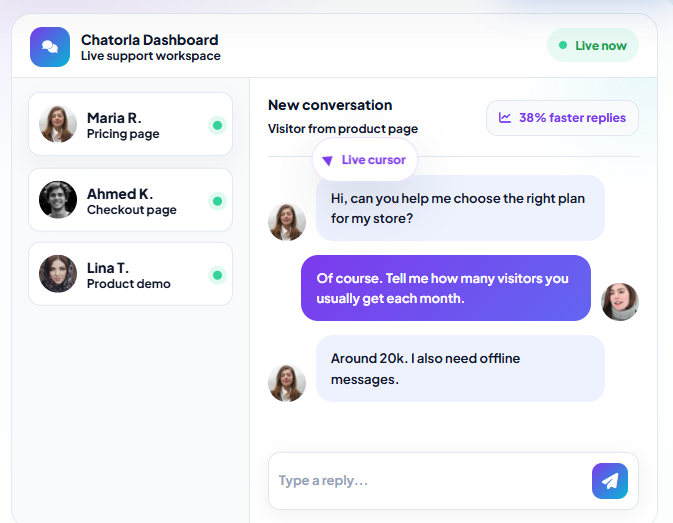
Chatorla takes a practical approach to live chat. You can communicate with website visitors in real time while gaining context about what they are doing on your site. Its visitor tracking shows pages viewed and time spent, giving your team useful information before or during a conversation instead of having agents start completely blind.
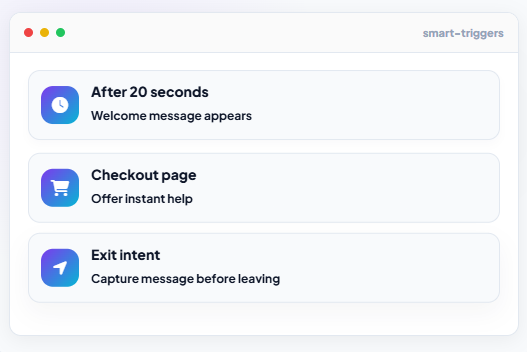
Smart triggers make that visitor information more actionable. You can welcome someone after a defined period, offer assistance around checkout, or trigger a message when exit intent appears. Rather than waiting for every visitor to find the chat button, your team gets opportunities to start conversations at moments when help may matter most.
Chatorla also addresses what happens when your agents are unavailable. Its offline messaging can capture a visitor’s name, email address, phone number, and message for later follow-up. Combined with its lead-capture capabilities, the chat widget is useful for both customer support and converting website interest into identifiable opportunities.
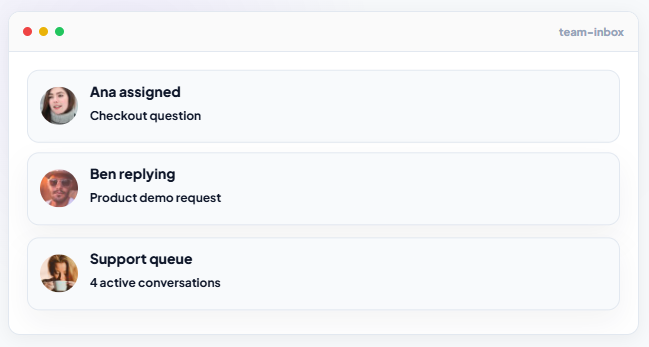
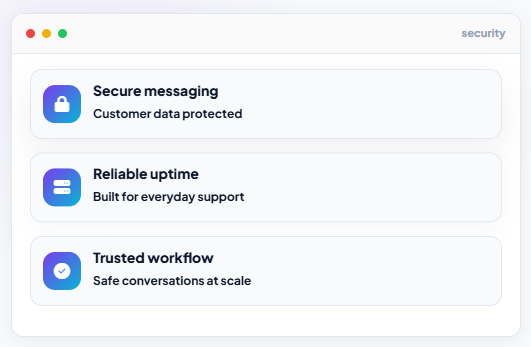
Team management remains straightforward through a centralized inbox and chat assignment. You can give conversations clear ownership while keeping customer communication organized. With widget customization, CRM and email integrations, and secure messaging, Chatorla offers an appealing balance for businesses that need capable live chat without immediately moving into a complex enterprise help-desk environment.
Chatorla Key Features
- Real-Time Live Chat: Speak with visitors while they browse your website, allowing your team to resolve questions while customer intent is still active.
- Visitor Tracking and Analytics: See pages visitors view and how long they stay so agents can approach conversations with more useful context.
- Smart Triggers: Automatically initiate relevant messages based on behaviors such as time on page, checkout activity, or exit intent.
- Lead Capture: Collect names, email addresses, phone numbers, and inquiries so valuable conversations can continue after visitors leave.
- Offline Messaging: Keep receiving customer inquiries when agents are unavailable rather than allowing after-hours prospects to disappear.
- Centralized Team Inbox and Chat Assignment: Organize conversations in one place and give chats clear ownership across your support team.
- Customizable Chat Widget: Adjust colors, greetings, position, and styling to create a chat experience that fits your website’s branding.
Why You Should Use Chatorla Live Chat Software
- Support and lead generation work together: You can solve customer questions while collecting information from potential customers who show genuine interest.
- Visitor context improves conversations: Page and browsing information gives agents a better starting point before they respond.
- Proactive engagement is built into the workflow: Smart triggers let your business offer help instead of relying entirely on visitors to initiate conversations.
- Offline visitors remain reachable: Lead capture and offline messaging help preserve opportunities outside normal support hours.
- Team ownership stays clear: Centralized conversations and chat assignment reduce uncertainty about which team member should handle each visitor.
- Your widget can match your brand: Customization prevents the chat experience from looking disconnected from the rest of your website.
- The product stays focused: You get core live chat, visitor analytics, lead capture, automation, and team collaboration without adopting a large enterprise service suite simply to answer website visitors.
What Needs Improving in Chatorla
- Integration details could be more transparent: Chatorla confirms CRM and email integrations, but its feature page could identify supported platforms more prominently.
- Large enterprises may require deeper omnichannel capabilities: Organizations running highly complex support operations may need broader enterprise service-management functionality.
Chatorla Pricing Plans
- Free Plan: $0 (free forever)
- Pro Plan: $19 per month
- Business Plan: $49 per month
- Enterprise Plan: Contact Support
2. ProProfs Chat:
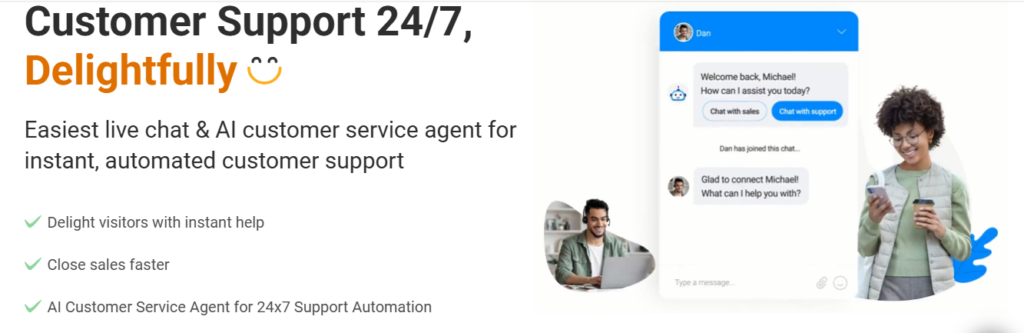
ProProfs Chat combines traditional live chat with increasingly advanced AI customer-service functionality. It can help you engage visitors proactively, route conversations, use canned responses, monitor visitors, and automate repetitive support through AI agents.
The platform becomes particularly interesting if you want AI and live agents inside the same support strategy. Its current AI capabilities extend into action-based agents, sentiment analysis, risk prediction, multilingual communication, and performance reporting. However, the free plan supports only one operator, so growing teams will need the paid Team plan.
ProProfs Chat Key Features
- AI Customer Service Agents: Automate repetitive conversations so human agents can concentrate on more complicated requests.
- Proactive Chat Invitations: Start conversations based on visitor behavior instead of waiting for every prospect to request help.
- Chat Routing: Direct incoming conversations to the right agents or departments.
- Visitor Monitoring: Gain additional context about people interacting with your website.
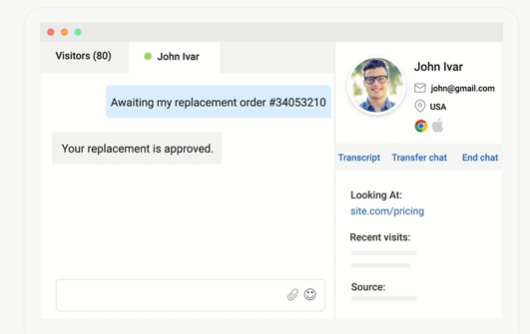
- Canned Responses: Give agents reusable answers for frequent questions and reduce repetitive typing.
ProProfs Chat Pros
- The free plan gives a single operator access to the platform.
- AI and human support can operate within the same customer-service workflow.
- Proactive engagement can help sales and support teams approach visitors earlier.
- Routing helps distribute conversations more efficiently.
- Multilingual AI capabilities support businesses serving international audiences.
ProProfs Chat Cons
- The free plan is restricted to one operator.
- Multi-agent teams need a paid subscription.
- Its growing AI feature set may be more than very small websites require.
- Businesses need to configure automation carefully to keep responses relevant.
ProProfs Chat Pricing Plans
- Free Plan: $0, for one operator.
- Team Plan: $19.99 per operator/month for two or more operators.
3. LiveChat:
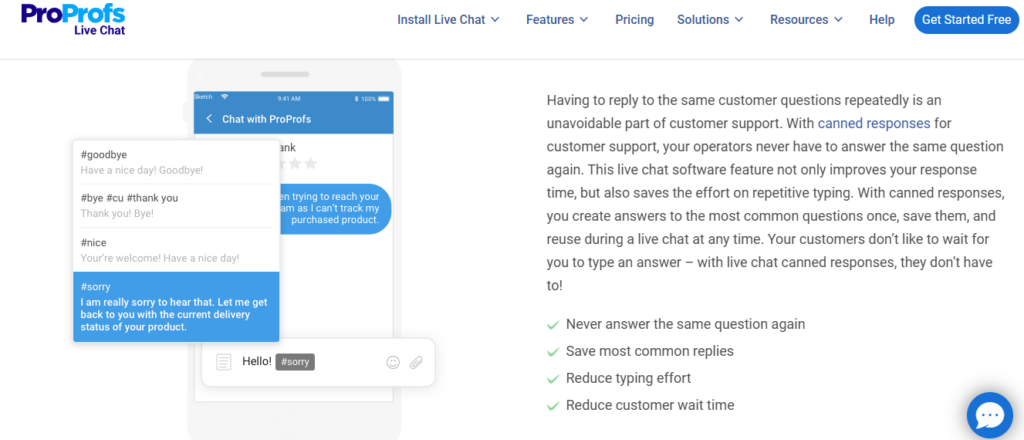
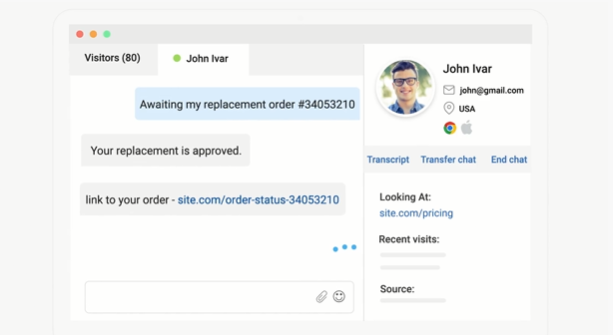
LiveChat is one of the category’s established platforms and concentrates heavily on professional real-time customer communication. You get visitor tracking, campaigns, chat history, widget customization, reporting, and agent-management capabilities depending on your plan.
It is a polished option for dedicated support teams, but pricing increases as you add people because paid tiers are generally charged per person. AI chatbot automation is also provided through the separate ChatBot product rather than being included as unlimited automation in the standard LiveChat subscription.
LiveChat Key Features
- Real-Time Chat: Give customers immediate access to your team from your website.
- Visitor Tracking: Monitor active visitors and use that information to support conversations.
- Campaigns: Proactively engage selected visitors instead of relying solely on inbound chats.
- Reporting: Track chat and agent performance to identify service problems.
- Widget Customization: Adapt the customer-facing chat experience to fit your brand.
LiveChat Pros
- Mature live-chat experience built around real-time communication.
- Useful visitor tracking helps agents understand current website activity.
- Team and Business plans support larger customer-service operations.
- Advanced reporting helps managers evaluate performance.
- Enterprise customers can access options such as SSO and white-label functionality.
LiveChat Cons
- Per-person pricing can become costly as your team expands.
- The Starter plan supports only one user.
- More advanced reporting requires higher-priced plans.
- Chatbot automation carries an additional product cost.
LiveChat Pricing Plans
Annual billing:
- Starter: $19 per person/month.
- Team: $49 per person/month.
- Business: $79 per person/month.
- Enterprise: Custom pricing.
Monthly billing:
- Starter: $25 per month.
- Team: $59 per person/month.
- Business: $89 per person/month.
LiveChat also advertises ChatBot separately from $52/month with annual billing.
4. Tidio
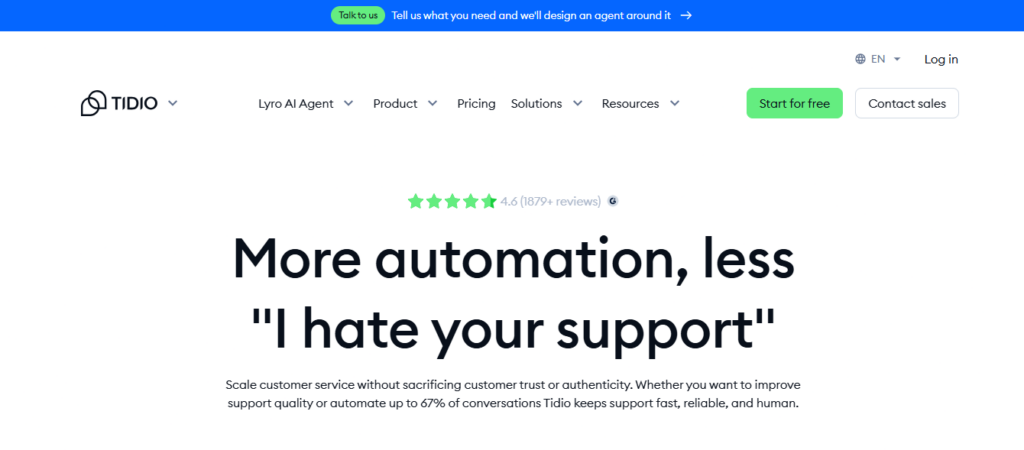
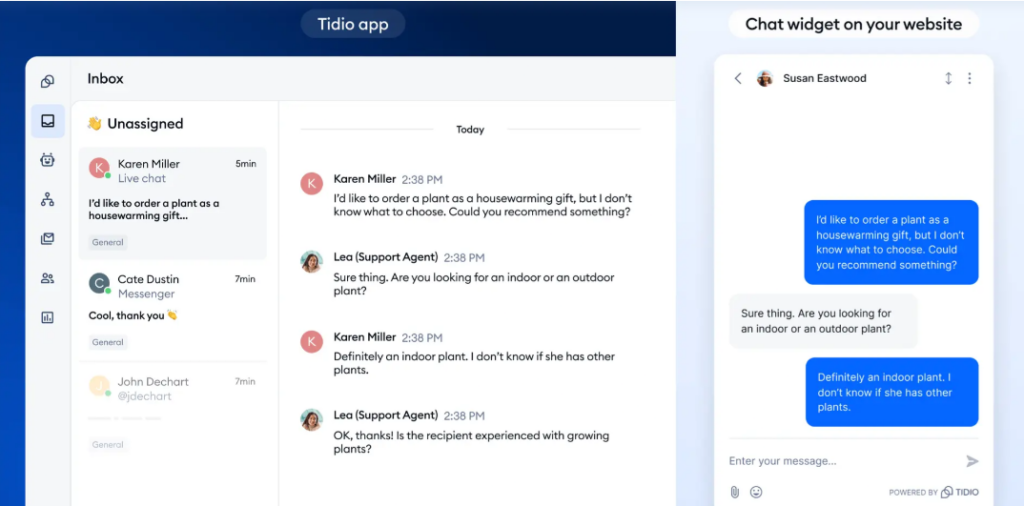
Tidio combines live chat, ticketing, automation, and its Lyro AI Agent. Its live visitor list helps your team see active website users, while higher tiers add viewed-page history, automatic chat assignment, macros, advanced analytics, and additional team controls.
This makes Tidio particularly relevant if AI automation is high on your priority list. The trade-off is a pricing structure influenced by conversation volume and AI usage. Growing businesses should calculate expected monthly activity rather than comparing only the headline subscription price.
Tidio Key Features
- Live Chat and Ticketing: Handle immediate conversations and ongoing customer requests from one system.
- Lyro AI Agent: Automate suitable customer conversations using AI.
- Live Visitors List: See who is currently browsing your website.
- Automatic Chat Assignment: Route conversations among agents on supported plans.
- Viewed Pages History: Give agents more context about the visitor journey.
Tidio Pros
- Combines human chat and AI support.
- Live visitor information provides useful context.
- Ticketing helps continue cases that cannot be solved immediately.
- Automatic assignment supports growing teams.
- Analytics provide insight into support performance.
Tidio Cons
- Usage-based elements make total costs less straightforward.
- Advanced functionality requires higher tiers.
- Plus starts at a substantial price for smaller businesses.
- Teams wanting only basic live chat may not use much of the broader platform.
Tidio Pricing Plans
- Free: $0/month.
- Starter: $24.17/month.
- Growth: Starts at $49.17/month.
- Plus: Starts at $300/month plus monthly usage.
- Premium: Custom pricing.
5. Kayako
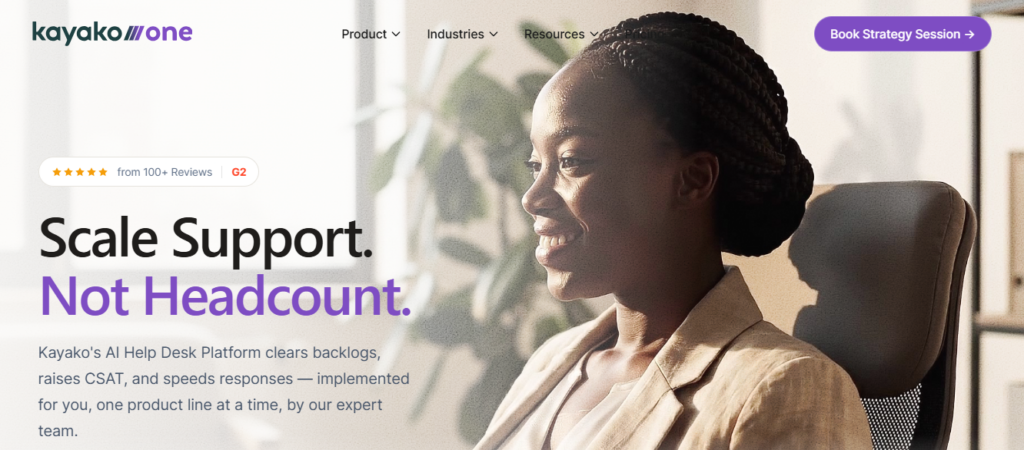
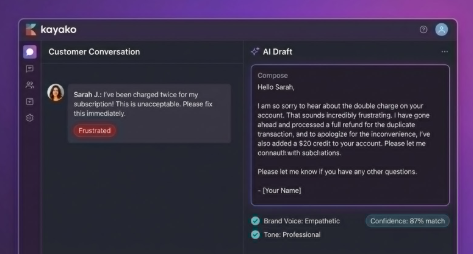
Kayako has moved strongly toward AI-driven customer-service resolution. Its Kay AI agent is designed not merely to answer questions but to take actions through connected systems, such as processing certain refunds, creating accounts, sending return labels, updating orders, or resetting passwords when properly integrated.
For organizations wanting a complete help desk, Kayako One adds a unified inbox, ticketing, knowledge base, live chat widget, automation rules, reporting, and analytics. This makes the platform powerful, but its current positioning is considerably broader than simple live chat. Small teams seeking only website conversations may find it more infrastructure than they need.
Kayako Key Features
- Live Chat Widget: Communicate with website customers through the broader support platform.
- Unified Inbox: Bring support conversations into a common workspace.
- Ticketing: Track cases that require continued attention.
- Kay AI Agent: Automate eligible resolutions and actions through connected business systems.
- Knowledge Base: Give customers self-service information for common questions.
Kayako Pros
- AI can perform supported actions rather than merely generating answers.
- Unified customer context can reduce unnecessary switching between tools.
- Ticketing and live chat work as part of a broader support system.
- API connectivity opens possibilities for action-based automation.
- Resolution-based AI pricing connects AI cost more closely with completed outcomes.
Kayako Cons
- The platform is broader than necessary for businesses wanting basic live chat.
- Effective action-based AI depends on integrations and suitable workflows.
- Kayako One pricing is not publicly fixed on the current pricing page.
- Teams need good data and processes to get full value from advanced automation.
Kayako Pricing Plans
- Kay AI Agent: $1 per resolved ticket.
- Kayako One: Pricing available from Kayako’s sales team.
Must-know Tip: Do not choose an AI-heavy platform because its automation percentage sounds impressive. Ask what counts as a resolution, what happens when AI fails, and whether the human agent receives the conversation context during handoff.
6. Tawk.to
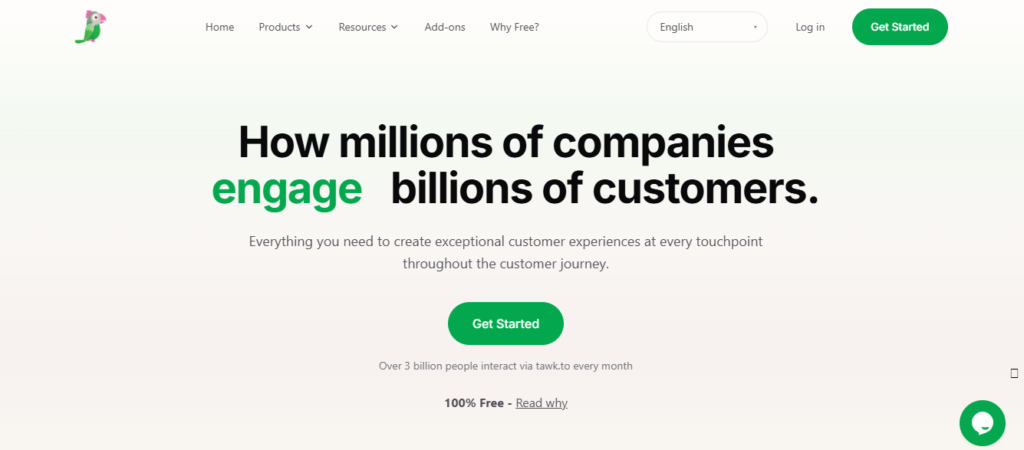
Tawk.to remains unusual because its core live-chat product is free. That makes it attractive to startups, freelancers, small businesses, and organizations that want to deploy live chat without committing to per-agent subscription costs.
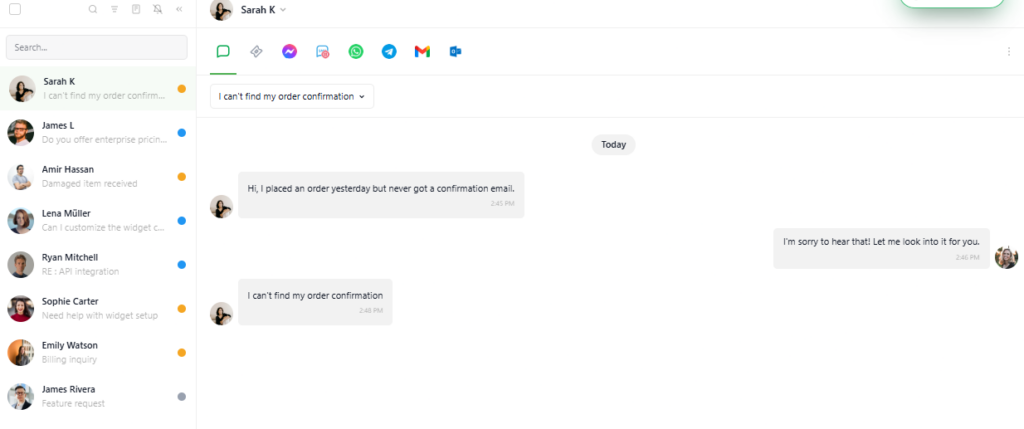
The platform also offers ticketing, a knowledge base, visitor monitoring, and optional AI capabilities. The catch is that premium extras cost money. Removing Tawk.to branding, expanding AI usage, or adding other services can change the economics, so “free” should be understood as referring to the core platform rather than every available feature.
Tawk.to Key Features
- Live Chat: Communicate with website visitors through its free core platform.
- Visitor Monitoring: Observe visitor activity and gain additional context.
- Ticketing: Continue customer issues beyond real-time conversations.
- Knowledge Base: Publish self-service information for frequent customer questions.
- AI Assist: Add AI-powered support, multilingual responses, suggestions, and human escalation.
Tawk.to Pros
- Core live-chat software is free.
- Unlimited agents make it attractive for cost-conscious teams.
- Ticketing extends conversations beyond the live session.
- Optional AI Assist gives businesses an automation upgrade path.
- Knowledge-base functionality supports customer self-service.
Tawk.to Cons
- Removing Tawk.to branding requires a paid add-on.
- Higher AI Assist usage requires a subscription.
- Some advanced capabilities are separate paid add-ons.
- Organizations wanting sophisticated enterprise workflows may need a more comprehensive platform.
Tawk.to Pricing Plans
- Core Live Chat: $0.
AI Assist:
- Hobby: $0.
- Growth: $29/month or $290/year.
Additional optional pricing includes:
- Remove Branding: $39/month or $348/year.
7. Zendesk:
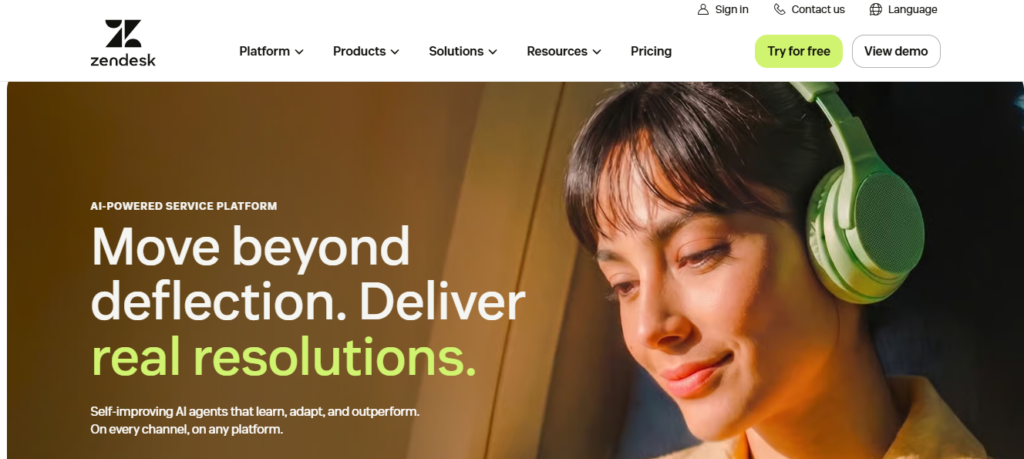
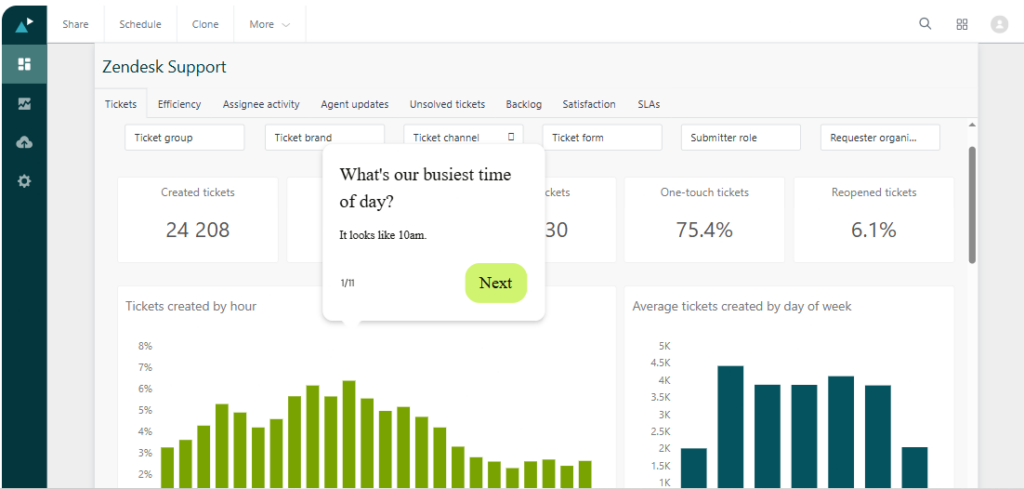
Zendesk is less a standalone live-chat tool and more a complete customer-service environment. Its Suite combines messaging across web, mobile, and social channels with email, voice, SMS, live chat, ticketing, reporting, integrations, and a unified agent workspace.
That breadth makes Zendesk suitable for organizations managing support across several channels and departments. It also creates its main drawback for smaller teams. If you mainly need a website chat widget, Zendesk can introduce more cost, configuration, and operational complexity than a focused live-chat product.
Zendesk Key Features
- Live Chat and Messaging: Support conversations across web, mobile, and social channels.
- Ticketing System: Turn customer requests into trackable support cases.
- Unified Agent Workspace: Give agents a central place to handle customer interactions.
- Reporting and Analytics: Measure support performance with built-in dashboards.
- AI-Powered Automation: Use automated answers and more advanced AI capabilities depending on your configuration and plan.
Zendesk Pros
- Excellent fit for established omnichannel support operations.
- Combines chat, email, voice, messaging, and ticketing.
- Strong reporting supports larger customer-service teams.
- Extensive integrations help connect the platform with existing business systems.
- Multiple Suite tiers let organizations expand as their support operation grows.
Zendesk Cons
- Considerably more complex than a focused website chat product.
- Per-agent costs increase quickly for larger teams.
- Advanced capabilities sit on higher-priced plans or add-ons.
- Setup and administration can require more resources than small businesses expect.
Zendesk Pricing Plans
For Zendesk Suite with live chat and messaging:
- Suite Team: $55 per agent/month billed annually, or $69 monthly.
- Suite Growth: $89 per agent/month billed annually, or $115 monthly.
- Suite Professional: $115 per agent/month billed annually, or $149 monthly.
- Suite Enterprise: $169 per agent/month billed annually, or $219 monthly.
- Suite Enterprise Plus: $249 per agent/month billed annually.
Which Live Chat Customer Service Metrics Actually Matter?
Installing live chat is easy. Knowing whether it improves customer service is harder.
Many software comparisons stop at features such as dashboards and analytics. That misses the important question: which numbers should you actually monitor?
First Response Time
First response time measures how quickly a customer receives an initial meaningful response.
This matters because live chat creates an expectation of immediacy. When 66% of surveyed consumers expect a response within five minutes, leaving someone waiting for 20 minutes defeats much of the reason for offering chat.
Do not improve this metric with meaningless automated greetings. Measure the time until the customer receives useful assistance.
Average Resolution Time
Response and resolution are different.
An agent can respond in 30 seconds but take 40 minutes to solve the issue. Another might respond after two minutes and resolve it in five.
Track how long customers spend getting to an actual solution.
First Contact Resolution
This measures how often customers get their problem solved during the initial interaction without returning for more assistance.
A high rate can indicate that agents have sufficient information, authority, and tools to solve problems efficiently.
Customer Satisfaction
Ask customers how they felt about the interaction after the conversation ends.
CSAT helps expose problems that operational numbers miss. A technically fast interaction can still leave customers frustrated if the response feels dismissive or does not solve their problem.
Zendesk’s 2025 research demonstrates why experience deserves attention. CX leaders classified as trendsetters reported 22% higher customer retention rates and 33% higher customer acquisition rates than less advanced peers.
Chat Abandonment Rate
How many visitors start or queue for chat and leave before receiving useful assistance?
A rising abandonment rate can indicate long queues, poor staffing, confusing automation, or an unnecessarily complicated pre-chat process.
Transfer Rate
Frequent transfers often signal routing problems.
If customers repeatedly move between departments, review your routing rules and agent permissions. Customers should not need to understand your organizational chart to receive support.
AI Resolution Rate
If you deploy AI, measure how many conversations it actually resolves without human intervention.
Do not stop there. Pair the metric with CSAT, repeat-contact rate, escalation rate, and incorrect-answer monitoring. High containment means little if customers return later because the original answer was wrong.
Repeat Contact Rate
This metric deserves more attention.
A conversation marked “resolved” can hide a problem when the same customer returns the next day with the same issue. Track repeated contacts within a defined period to understand whether your resolutions are durable.
Must-know Tip: Never optimize one support metric in isolation. Pushing agents to reduce handling time can make them rush customers. Maximizing AI containment can make human help difficult to reach. Measure speed, resolution, satisfaction, and repeat contact together.
When You Should Not Use an AI Chatbot
AI is becoming central to customer service, but putting a chatbot in front of every customer problem is poor service design.
Zendesk’s 2025 research found that 64% of consumers were more likely to trust AI agents that displayed traits such as friendliness and empathy. It also found that 67% were ready to delegate tasks such as tracking orders and receiving personalized recommendations to AI.
That does not mean customers want automation everywhere.
In a separate 2025 global Zendesk-commissioned survey, 55% of respondents preferred a human when dealing with urgent problems or disrupted travel, while 84% said human interaction should always remain an option.
When the Customer Is Angry or Emotionally Distressed
A cancellation after a serious service failure is different from asking for opening hours.
Customers may need acknowledgement, judgment, negotiation, or reassurance. Routing a highly frustrated person through repetitive automated prompts can intensify the problem.
When the Issue Is Complex or Unusual
AI performs best when it has reliable information and clearly defined tasks.
An unusual technical problem involving several products, accounts, policies, or previous support decisions may require human reasoning. Escalate when the system cannot confidently resolve the issue.
When the Decision Has Serious Consequences
Financial disputes, sensitive account changes, legal concerns, security incidents, and other high-impact situations deserve additional oversight.
Automation can assist the agent by retrieving information or summarizing context. It should not automatically control every high-risk decision simply because the technology can generate a response.
When Your Knowledge Base Is Weak
AI cannot reliably answer company-specific questions when the underlying information is incomplete, contradictory, or outdated.
Before deploying an AI support agent widely, improve your help content and test real customer scenarios. Automation scales good information, but it can also scale bad information.
When Customers Explicitly Ask for a Human
Give them a sensible route.
One of the worst chatbot experiences is the endless loop where a customer types “human,” “agent,” or “representative” and receives another automated menu.
Recent 2026 consumer research on automation failures found that 59% identified having to explain their problem again as a major irritation after automation fails. Another 46% were frustrated when the human agent lacked their previous information.
A proper handoff should therefore transfer context, not merely transfer the customer.
Must-know Tip: Your goal should not be to prevent customers from reaching agents. Use automation to remove repetitive work, then make human expertise easier to access when it creates more value.
How to Choose the Best Live Chat Software for Your Business
Start with your actual support operation rather than the longest feature list.
If most conversations happen on your website and you want visitor context, proactive engagement, lead capture, and straightforward team management, a focused platform such as Chatorla deserves serious consideration.
If your requirements center heavily on AI automation, compare what the AI actually does. Some systems answer questions. Others can trigger workflows or perform actions through integrations. Those are materially different capabilities.
Look at your team size next.
A product costing $50 per agent may appear reasonable for two people. At 20 agents, that becomes a very different budget. Calculate your realistic team cost instead of comparing entry prices.
Then examine your existing technology.
Does the platform connect with the CRM, email system, e-commerce platform, help desk, or internal tools your agents already use? A technically powerful live chat product can still create inefficiency if agents constantly copy information between systems.
Consider implementation too.
Adding a widget may take minutes, but configuring departments, routing, automations, knowledge sources, triggers, permissions, reporting, and integrations can take considerably longer.
Finally, think about your customers.
Do they need instant website help? Are most requests repetitive? Do they often have complex technical questions? Do conversations begin on chat but continue by email? The answers should determine your software requirements.
Live Chat vs. Chatbots vs. AI Agents
These terms are often used interchangeably, but they describe different approaches.
Live chat traditionally connects a customer with a human representative in real time.
A rule-based chatbot follows predefined flows. It may ask customers to select a topic, answer FAQs, collect contact information, or route a conversation.
A modern AI chatbot can interpret natural-language questions and generate answers based on available knowledge.
An AI agent goes further when properly configured. Instead of only explaining what a customer should do, it may interact with connected systems to complete an approved action.
The strongest customer-service strategy does not necessarily choose one.
You might use proactive live chat to start a conversation, automation to collect basic information, AI to resolve a straightforward request, and a human agent to take over when judgment becomes necessary.
Zendesk’s 2025 CX Trends research found that 73% of agents believed an AI copilot would help them perform their jobs better. The important word is “help.” AI can reduce repetitive work while people handle situations where context, empathy, negotiation, and judgment matter most.
As Zendesk CEO Tom Eggemeier put it, “AI should be more than just another technology we use.” The useful question is not whether your support operation has AI. It is whether AI creates a better resolution.
Conclusion: What Is the Best Live Chat Software?
The best live chat software is the platform that fits the way your customers ask for help and the way your team actually works.
Chatorla takes our top position for businesses that want a focused combination of real-time chat, visitor tracking, smart triggers, lead capture, offline messaging, widget customization, and organized team conversations. Its appeal lies in bringing useful website-support and conversion features together without immediately pushing you into a heavyweight enterprise help desk.
ProProfs Chat is attractive when AI automation is a priority. LiveChat remains a mature choice for dedicated support teams. Tidio combines chat with AI and ticketing, while Kayako focuses increasingly on action-oriented AI. Tawk.to is difficult to ignore when budget is the main concern, and Zendesk remains powerful for complex omnichannel support operations.
Do not choose by feature count alone.
Choose the tool that helps customers get useful answers faster, gives your agents enough context to solve problems, and keeps human support available when automation reaches its limits.
Frequently Asked Questions
What is live chat software?
Live chat software lets website or app visitors communicate with your business in real time. Modern platforms can also include visitor monitoring, routing, proactive messages, ticketing, lead capture, AI, automation, and analytics.
What is the best live chat software for small businesses?
Your best option depends on your needs. Chatorla is worth considering when you want real-time chat, visitor context, smart triggers, lead capture, offline messaging, and straightforward team organization. Tawk.to is another option when free core live chat is the priority.
What features should I look for in live chat software?
Look for reliable real-time messaging, visitor context, routing or assignment, conversation history, proactive engagement, customization, analytics, security, integrations, and offline messaging. Add AI only when it solves a clear support problem.
Is live chat better than email customer support?
Neither channel is universally better. Live chat works particularly well for immediate questions because customers can receive assistance while they are browsing. Email is better suited to conversations that do not require an immediate response or need longer, detailed communication.
Can live chat increase sales?
Live chat can support sales by answering questions while purchase intent is active. Features such as visitor tracking, lead capture, proactive messages, and checkout assistance can make chat particularly useful during the buying journey.
What is proactive live chat?
Proactive live chat initiates a message based on defined conditions rather than waiting for a visitor to click the chat button. For example, software may offer assistance after someone spends a certain amount of time on a page or reaches checkout.
Is AI necessary for live chat software?
No. Human live chat remains valuable, and HubSpot research found that 59% of surveyed consumers wanted to live chat with human representatives. AI becomes useful when you have enough repetitive requests and reliable information to automate them safely.
When should a chatbot transfer a customer to a human?
Transfer when the issue is complex, sensitive, high-risk, emotionally charged, outside the bot’s reliable knowledge, or when the customer explicitly requests human assistance. The handoff should include the existing conversation context.
What is the difference between a chatbot and live chat?
Live chat normally refers to real-time communication with a human agent. A chatbot responds automatically using predefined rules or AI. Many current customer-service platforms combine both.
What is the difference between an AI chatbot and an AI agent?
An AI chatbot primarily holds conversations and provides information. An AI agent can potentially go further by interacting with connected systems and completing approved actions, depending on the product and configuration.
What live chat metrics should I track?
Track first response time, average resolution time, first contact resolution, CSAT, abandonment rate, transfer rate, repeat contact rate, and agent workload. If you use AI, also monitor AI resolution rate, escalation rate, customer satisfaction, and incorrect responses.
Is free live chat software good enough?
It can be. A free plan may work well for a small website or a team with straightforward requirements. Check limitations around operators, branding, history, automation, AI usage, integrations, and reporting before deciding.
How fast should businesses respond to live chat?
Customers expect live chat to be fast. Consumer research found that 66% of respondents expected a response within five minutes. Your exact target should reflect your staffing and customer needs, but long waits weaken the value of offering a real-time channel.
Can live chat work when my support team is offline?
Yes, if your chosen software supports offline messaging or forms. Chatorla, for example, can collect visitor contact information and messages when agents are unavailable, allowing your team to follow up later.
How do I choose between Chatorla and a large help-desk platform?
Consider the complexity of your support operation. If your priority is website chat, visitor intelligence, proactive engagement, lead capture, and manageable team conversations, Chatorla provides a focused approach.

Comments
0 responsesNo comments yet. Be the first to share your thoughts.